
How OpenVoiceType works, in diagrams
View this page on GitHubSix diagrams, each answering one question. Every box names the code it comes from: in the interactive page, a box’s
SRC badge links to those lines on GitHub, at the commit the diagram was traced from (1fe87ef, v0.5.0).
Each diagram is an interactive page (.html): light and dark themes, search, focus on one box and what it connects to,
route tracing, and PNG/SVG export. GitHub shows .html files as source, so to explore one, download it (Download raw
file on its GitHub page) or clone the repository, and open it in a browser. It needs no network.
| Diagram | The question |
|---|---|
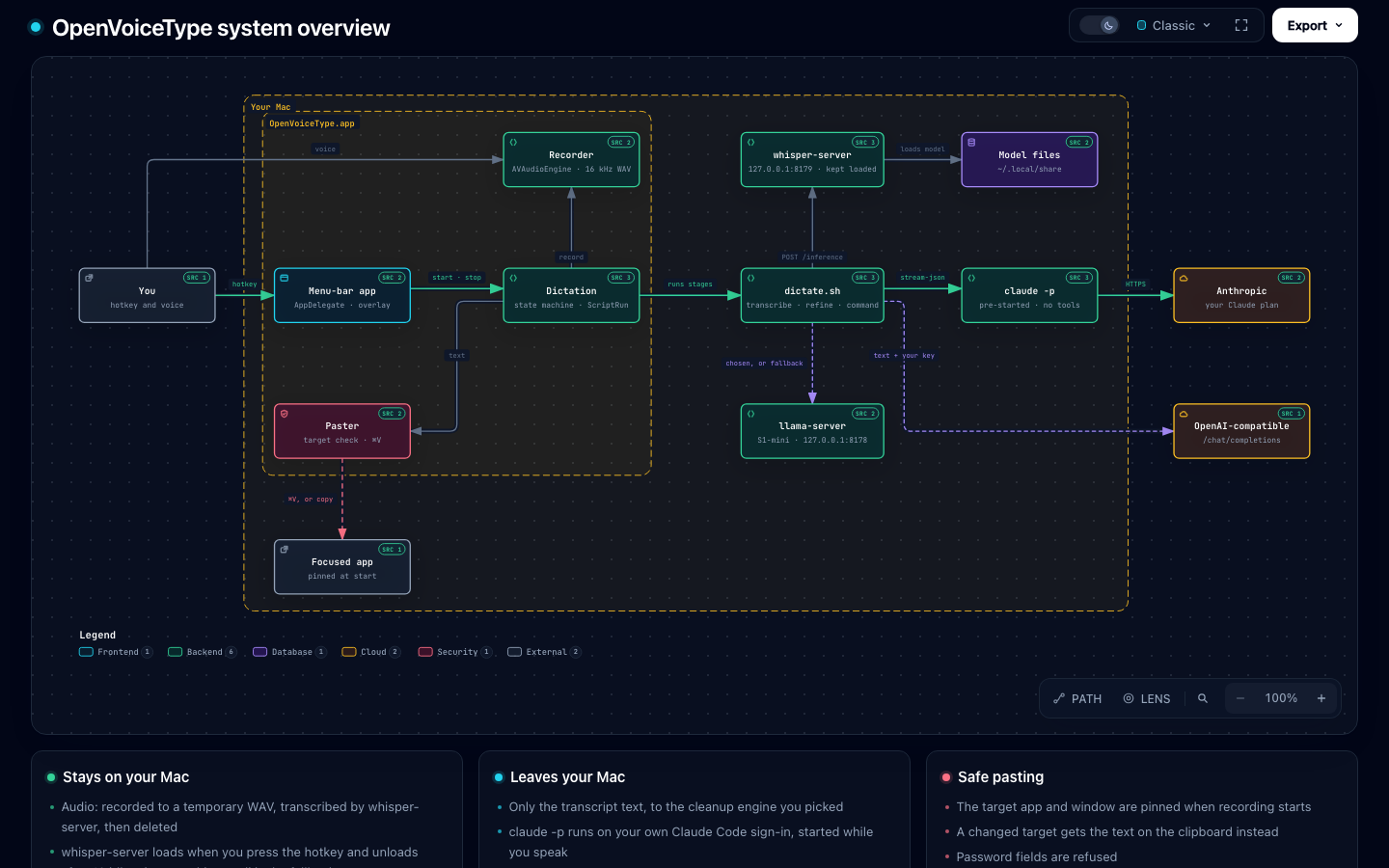
| System overview | What are the parts, and which run on the Mac vs online? |
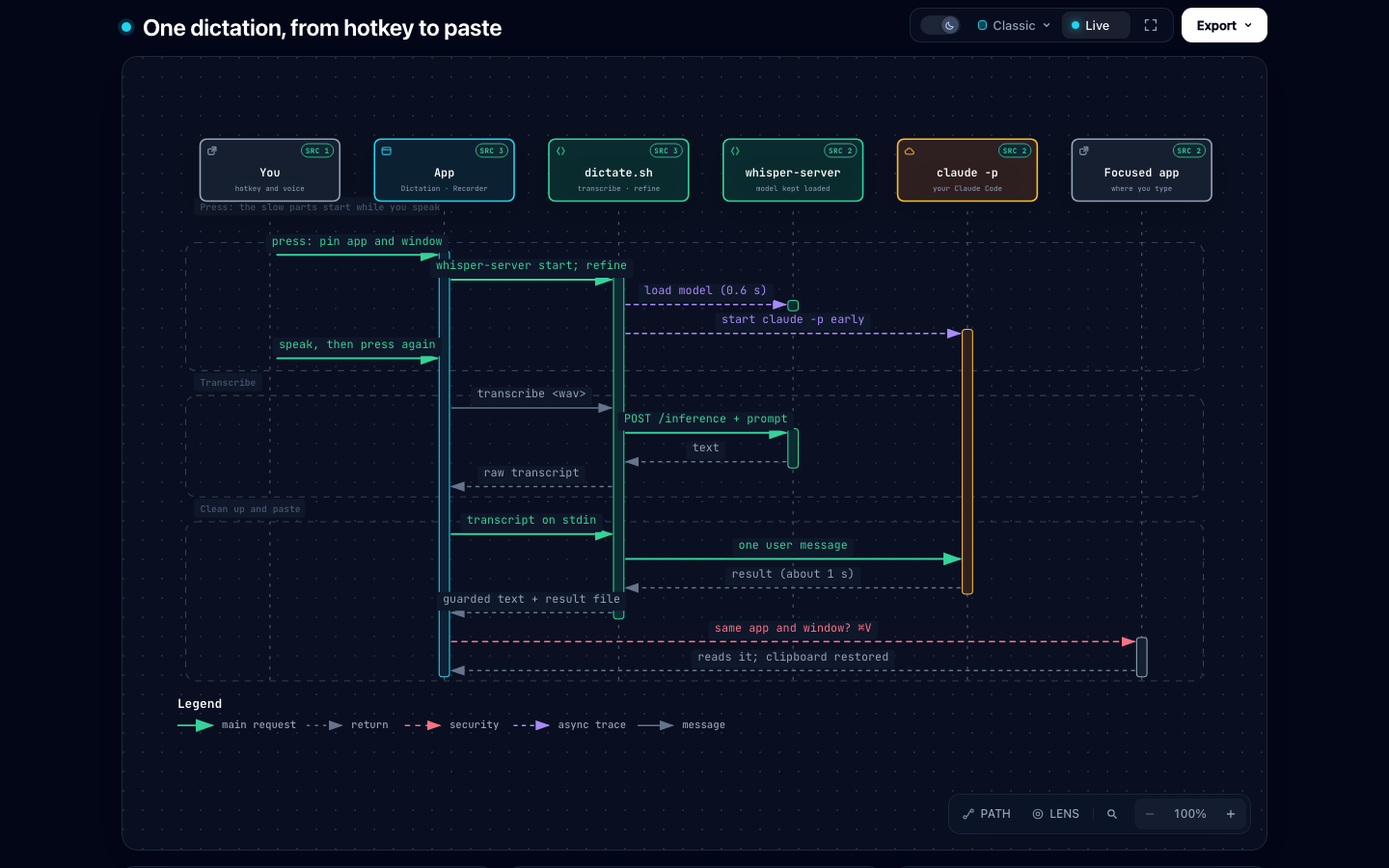
| One dictation, from hotkey to paste | What happens between the key press and the text, and why is it fast? |
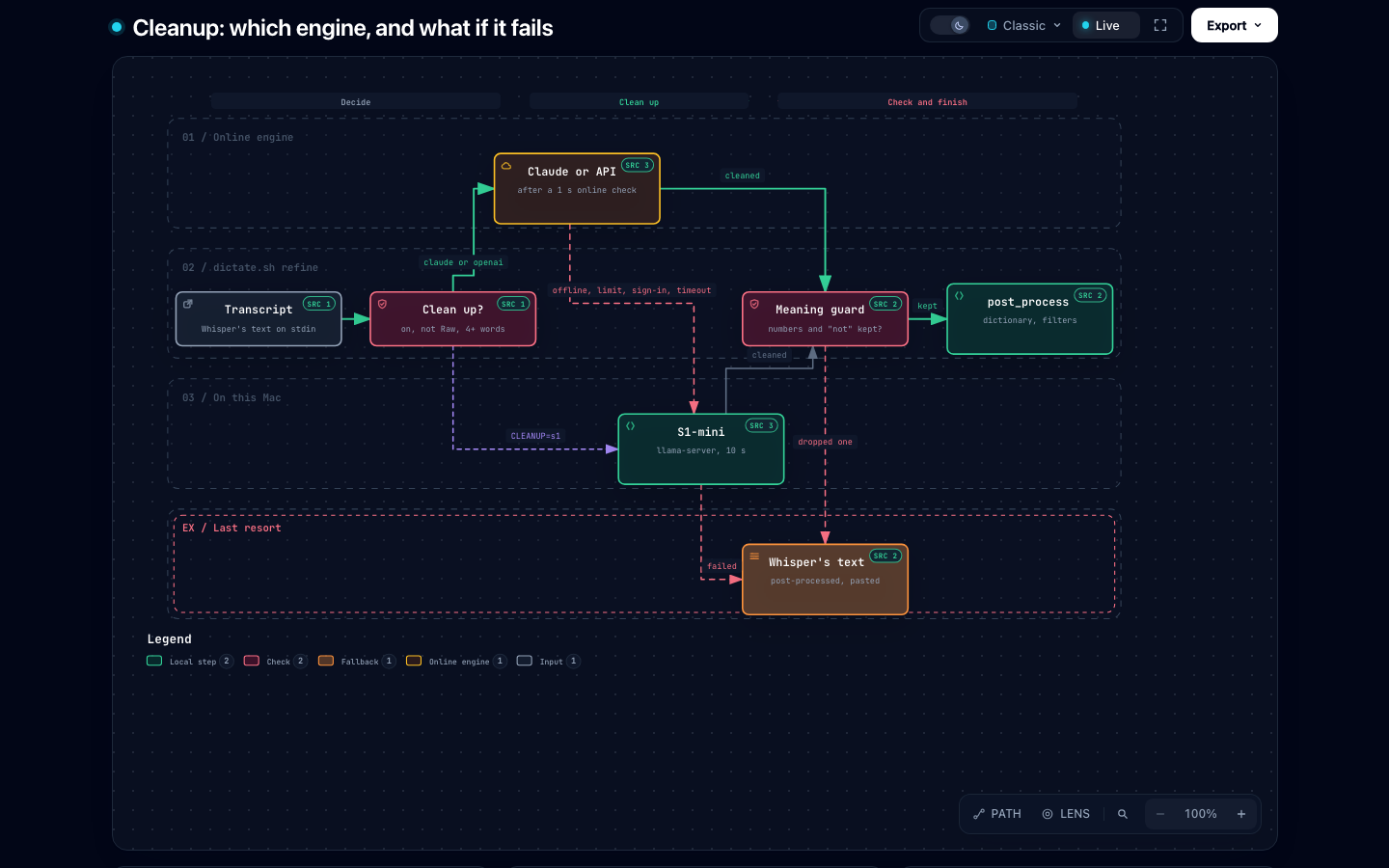
| Cleanup: which engine, and what if it fails | Who cleans up the text, and what happens when Claude is offline or limited? |
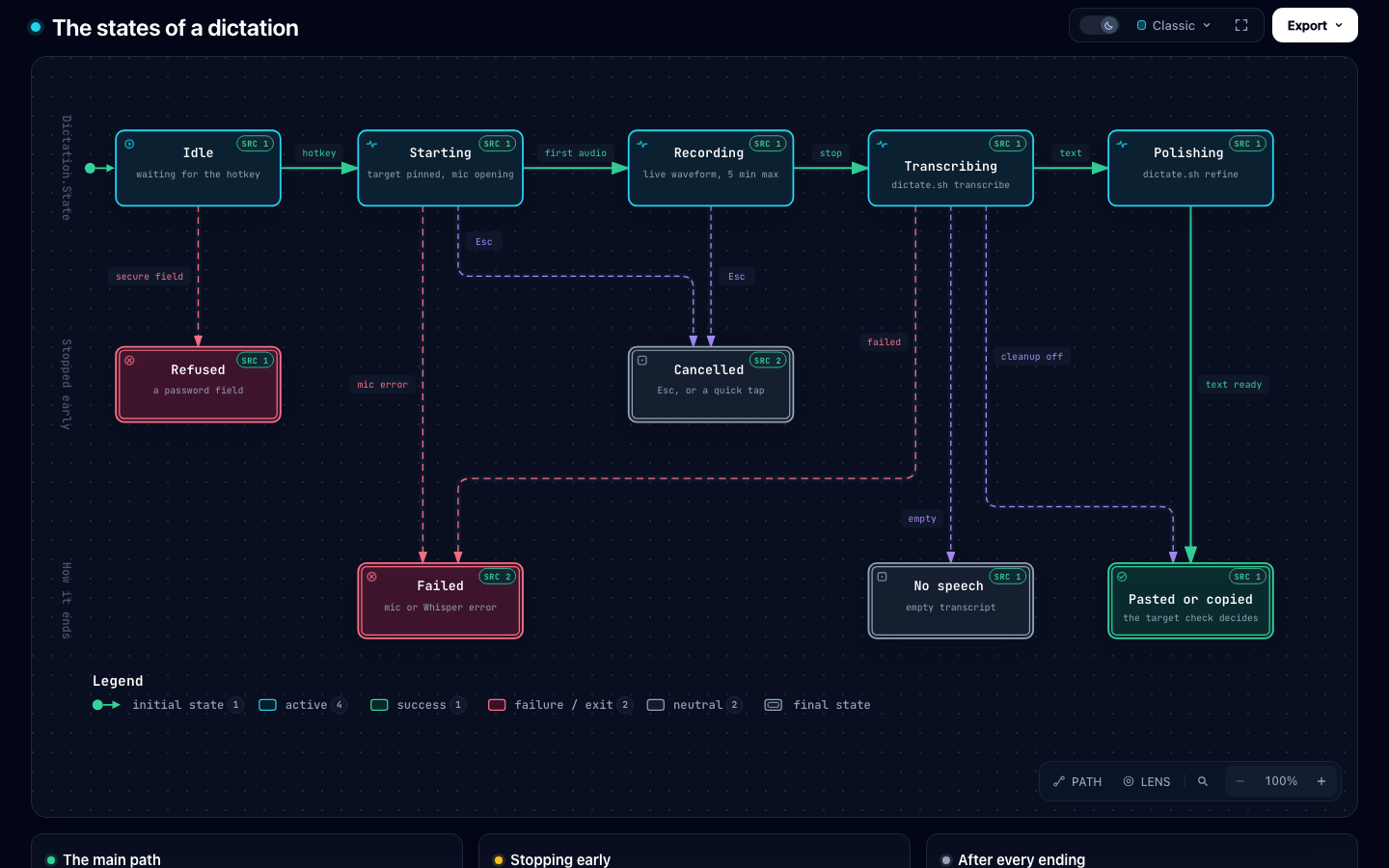
| The states of a dictation | What states does a dictation go through, and how does each one end? |
| What leaves your Mac | Where do the audio, the text, your API key and the logs go? |
| Command Mode: what a press acts on | Does a command replace the selection, your last text, write new text, or only copy? |
System overview
The menu-bar app records and pastes; dictate.sh transcribes with a local whisper-server and cleans up with
claude -p, an OpenAI-compatible endpoint, or S1-mini in a local llama-server.
One dictation, from hotkey to paste
Whisper and Claude start while you speak, so after you stop only the transcription and Claude’s answer are left.
Cleanup: which engine, and what if it fails
A dictation is never lost: an unavailable online engine falls back to S1-mini, and S1-mini or the meaning guard fall back to Whisper’s own text. The exit codes are what the app reads.
The states of a dictation
Dictation.State from Idle to Polishing, and the six ways a dictation ends. Every ending returns to Idle.
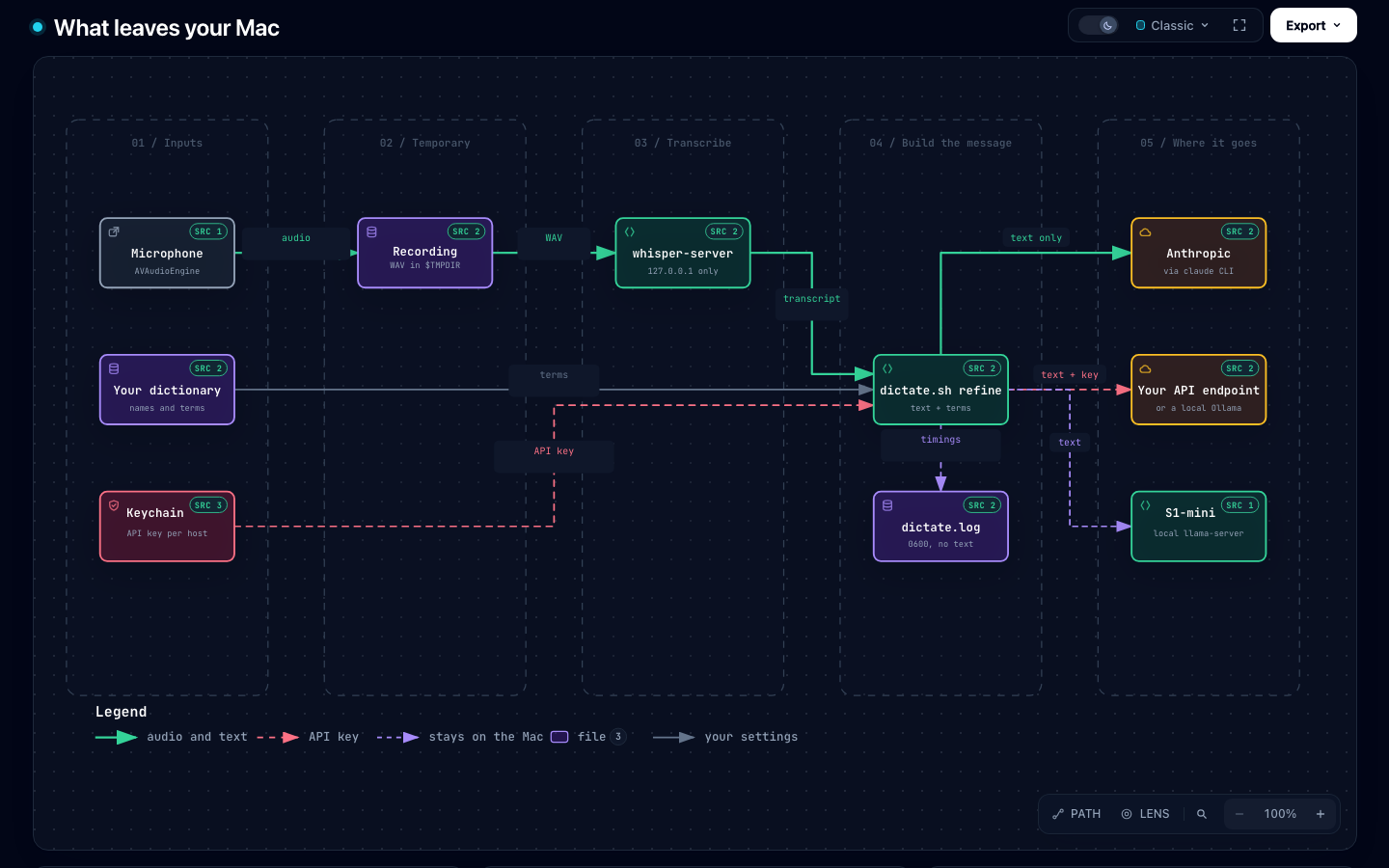
What leaves your Mac
Audio, the recording, your dictionary and the logs stay on the Mac. Only the text goes out, and only to the engine you picked.
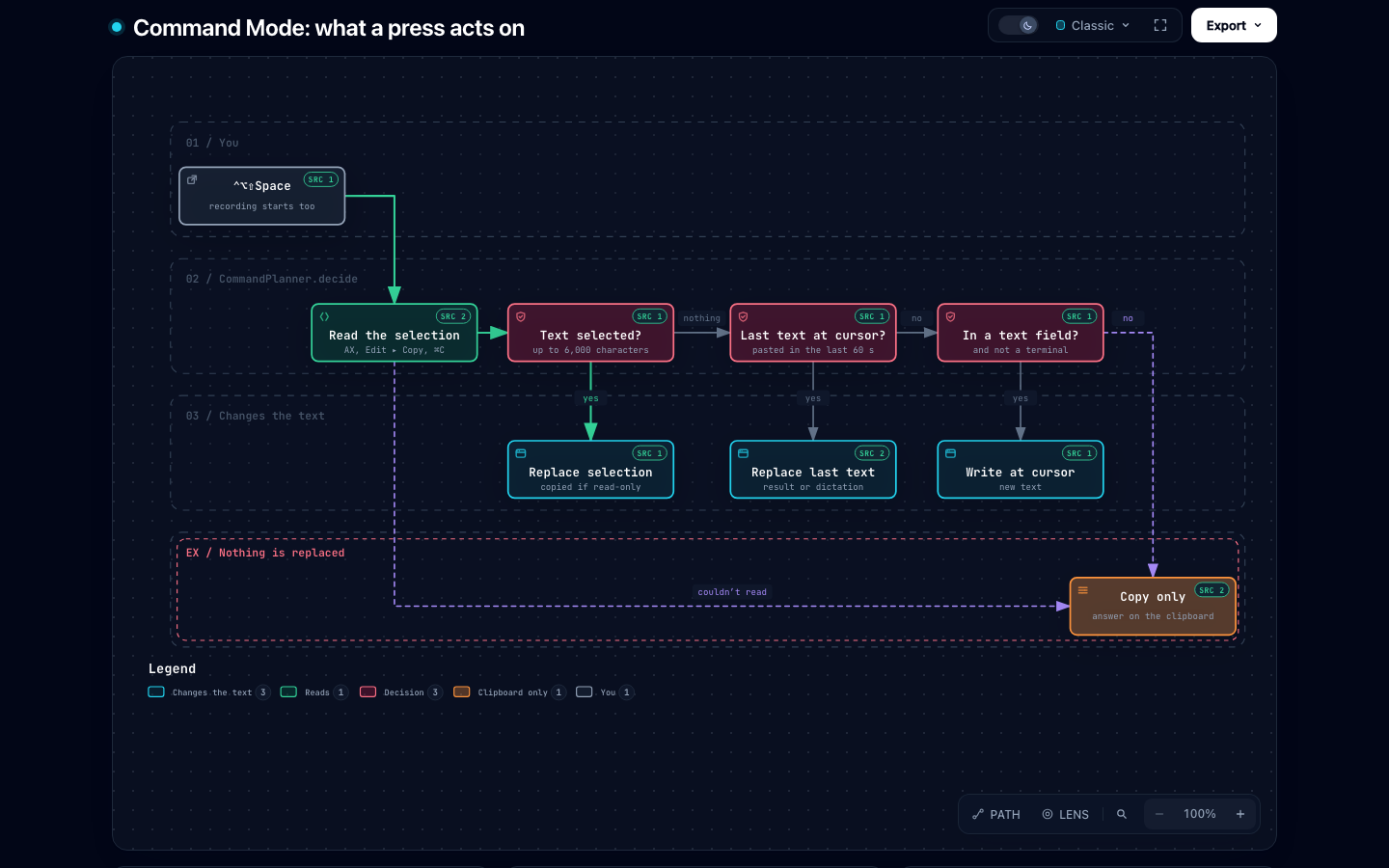
Command Mode: what a press acts on
Decided when you press ⌃⌥⇧Space, before you’ve finished speaking; the overlay shows the answer.
Changing a diagram
The .json files are the source; the pages and images are generated by Archify
(MIT), pinned in the script. You need Node 18+ and Chrome.
./scripts/render-diagrams.sh                   # all of them (the first run fetches Archify, about 80 MB)
./scripts/render-diagrams.sh system-overview   # one
./scripts/render-diagrams.sh --check           # only validate: schema, layout, and the source references
Each render must pass Archify’s showcase checks (layout, labels, a real-browser check in both themes). The screenshots are replaced only when the page changed.
When the code changes, a diagram’s line references still point at its pinned commit, so they stay valid. When a
change affects what a diagram shows, update the JSON, set meta.repository.revision to a commit that has the new code
(a commit on master, since the links go to GitHub), fix the line numbers, and re-render.