Any app
Slack, Mail, VS Code, the terminal, the browser. If you switch away while it works, the text is copied instead, and it's never pasted into a password field.
Open source · macOS 13.3+ on Apple Silicon
Press a hotkey and talk. OpenVoiceType transcribes on your Mac with Whisper, cleans up the words with the Claude Code you're already signed in to (or an API you choose, or fully offline), and pastes the result where you were typing.
Early software, not yet notarized by Apple: the first launch needs Open Anyway (how). MIT licensed.
You say“Um, so the budget is 15,400, no wait, 16,000 dollars, and we ship on, uh, Thursday.”
It pastesThe budget is $16,000, and we ship on Thursday.
How it feels
Or hold it while you talk. The app notes which app and window the text should go to.
Say “um”, change your mind, list things. A small overlay shows it's listening.
Punctuation, numbers, lists and your corrections applied, where you were typing. Your clipboard comes back.
What it does
Slack, Mail, VS Code, the terminal, the browser. If you switch away while it works, the text is copied instead, and it's never pasted into a password field.
Filler words and false starts go; “Friday, no wait, Thursday” becomes Thursday. If a cleanup drops a number or a “not”, Whisper's own text is pasted instead.
Select text, press ⌃⌥⇧Space and say “make this shorter”, “bullet points” or “translate to Spanish”. ⌘Z brings the original back.
Casual for chat, paragraphs for email, exact identifiers for code, lists for notes. Add names and terms to the dictionary.
Your Claude Code (default), any OpenAI-compatible endpoint (Ollama, LM Studio, OpenAI, Groq), or S1-mini by Superwhisper on your Mac, offline.
Offline, rate-limited or signed out? S1-mini cleans up instead, and failing that you get Whisper's text. ⌃⌥Z swaps the last paste between the two.
Nothing hidden
Six interactive diagrams trace a dictation through the app. Every box links to the source lines it describes, at a pinned commit, so you can check each claim yourself. They're made with Archify and pass its layout and real-browser checks.
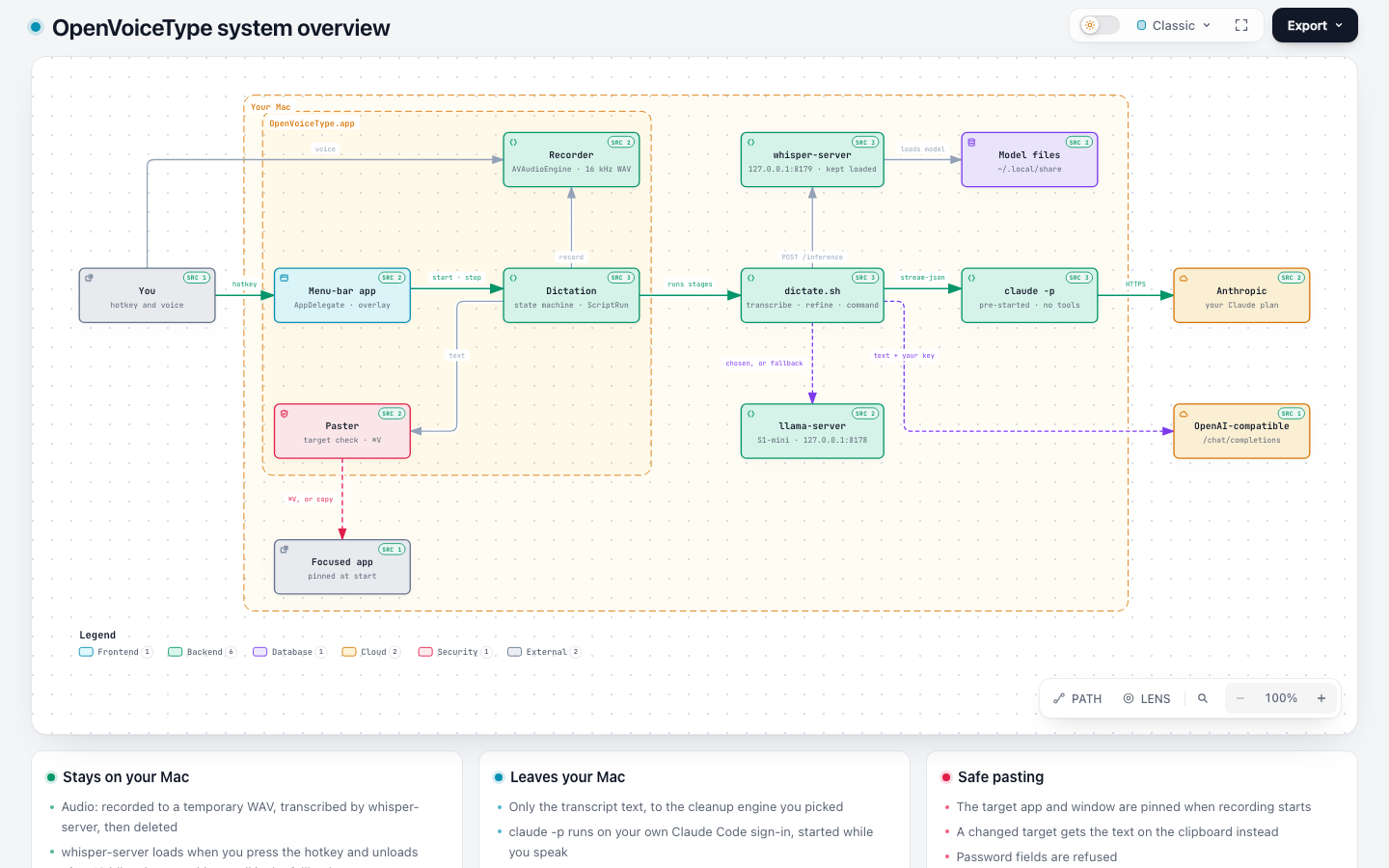
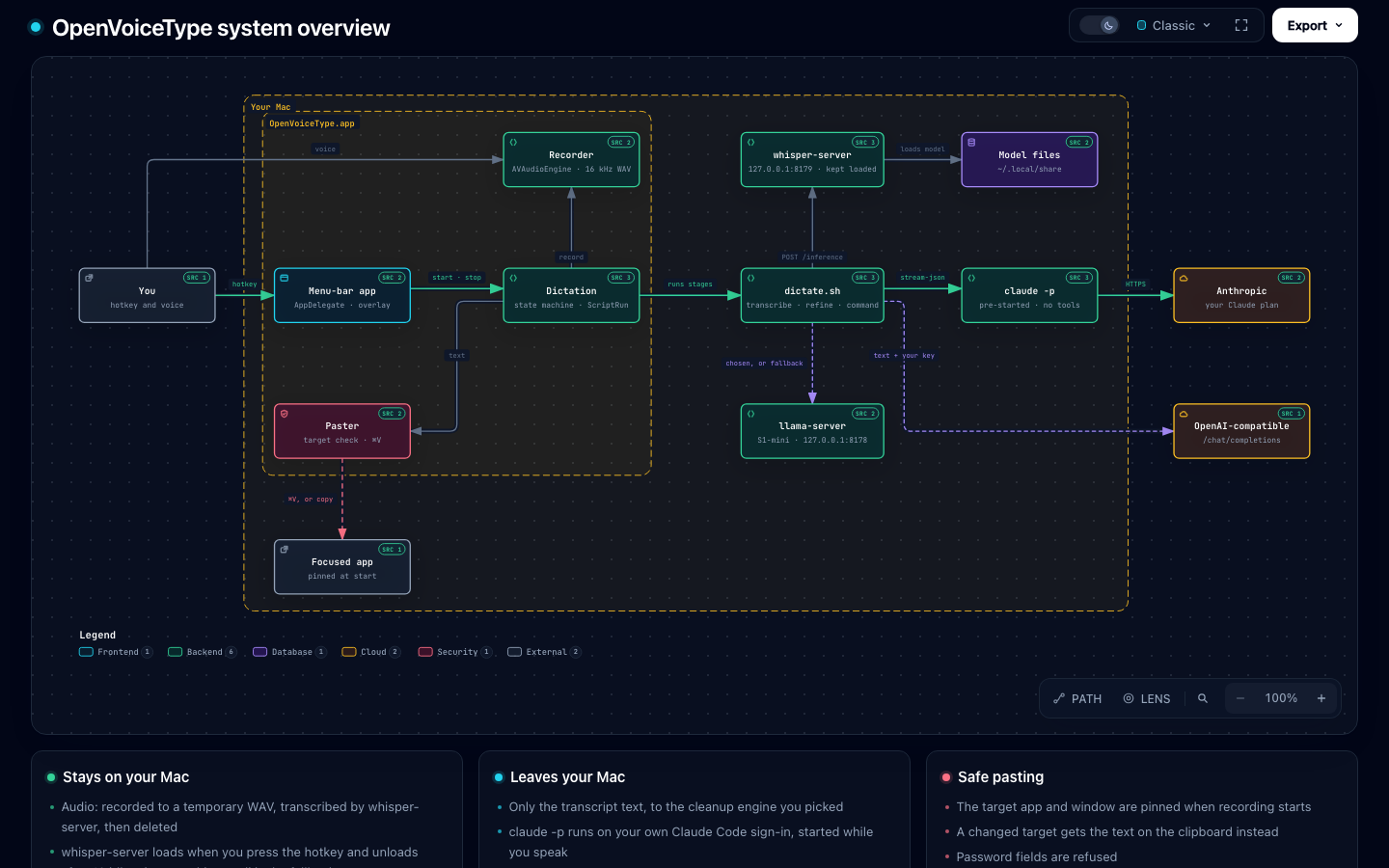 System overviewWhat runs on your Mac, and what runs online
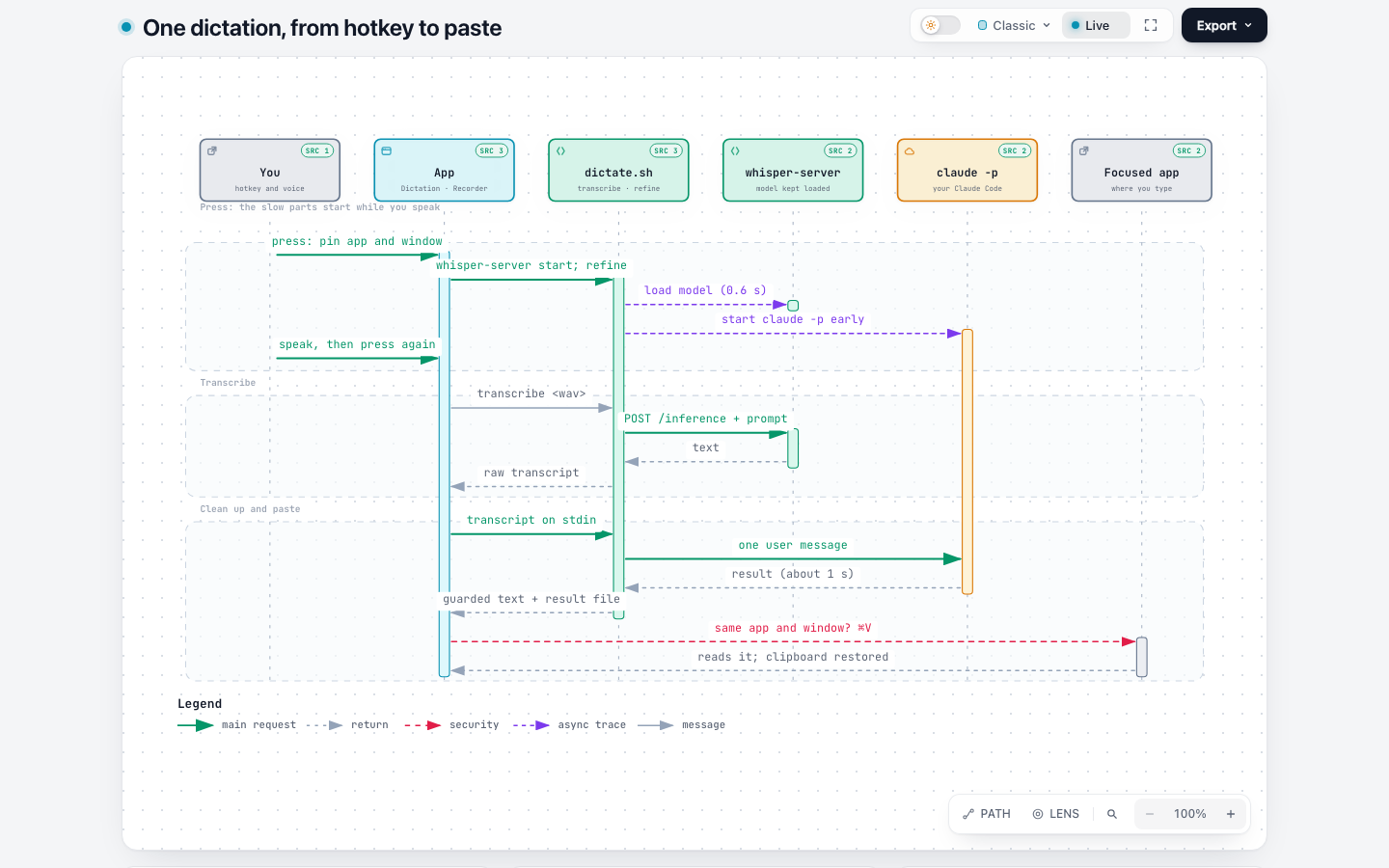
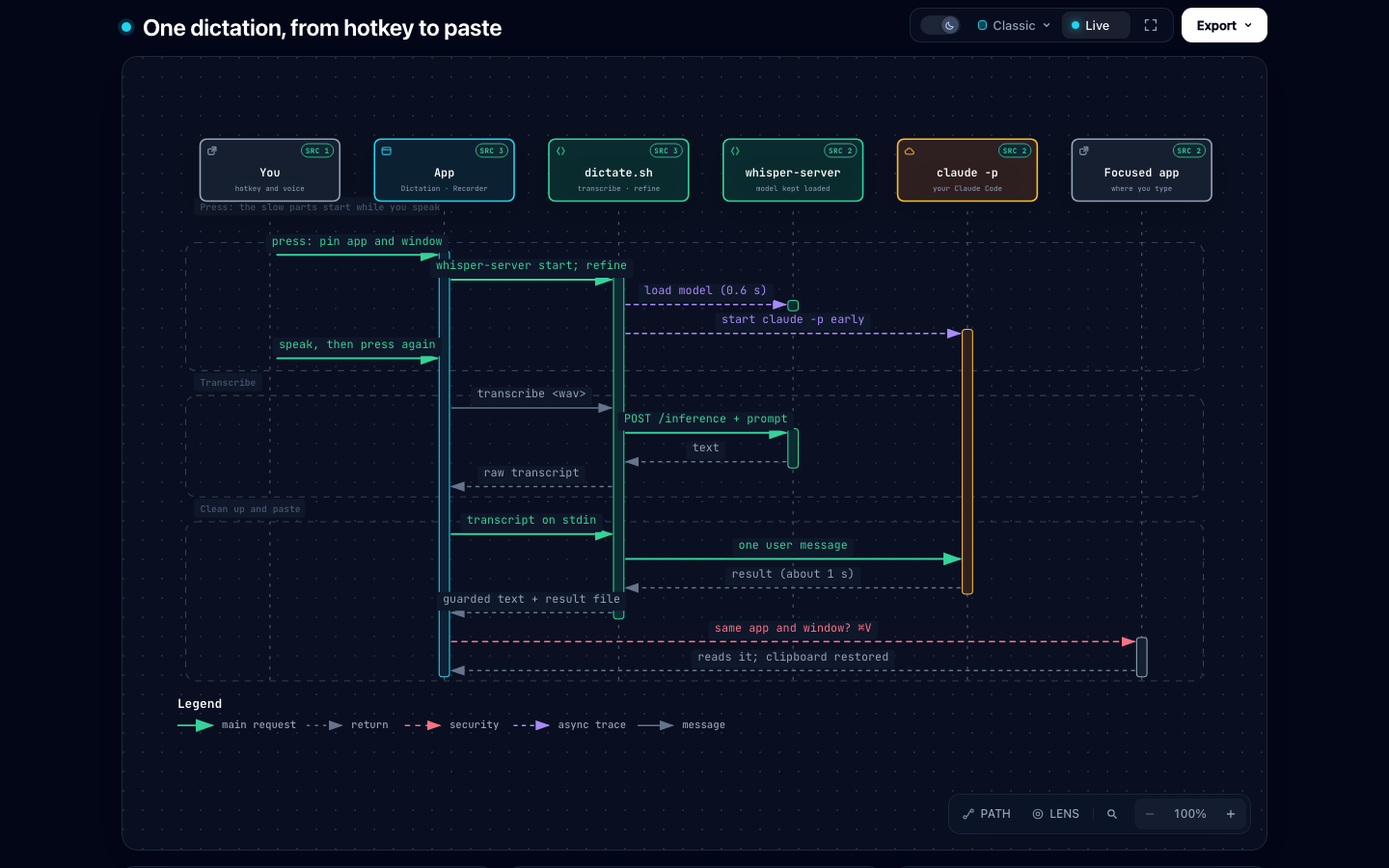 One dictation, hotkey to pasteWhy the text is ready about a second after Claude gets it
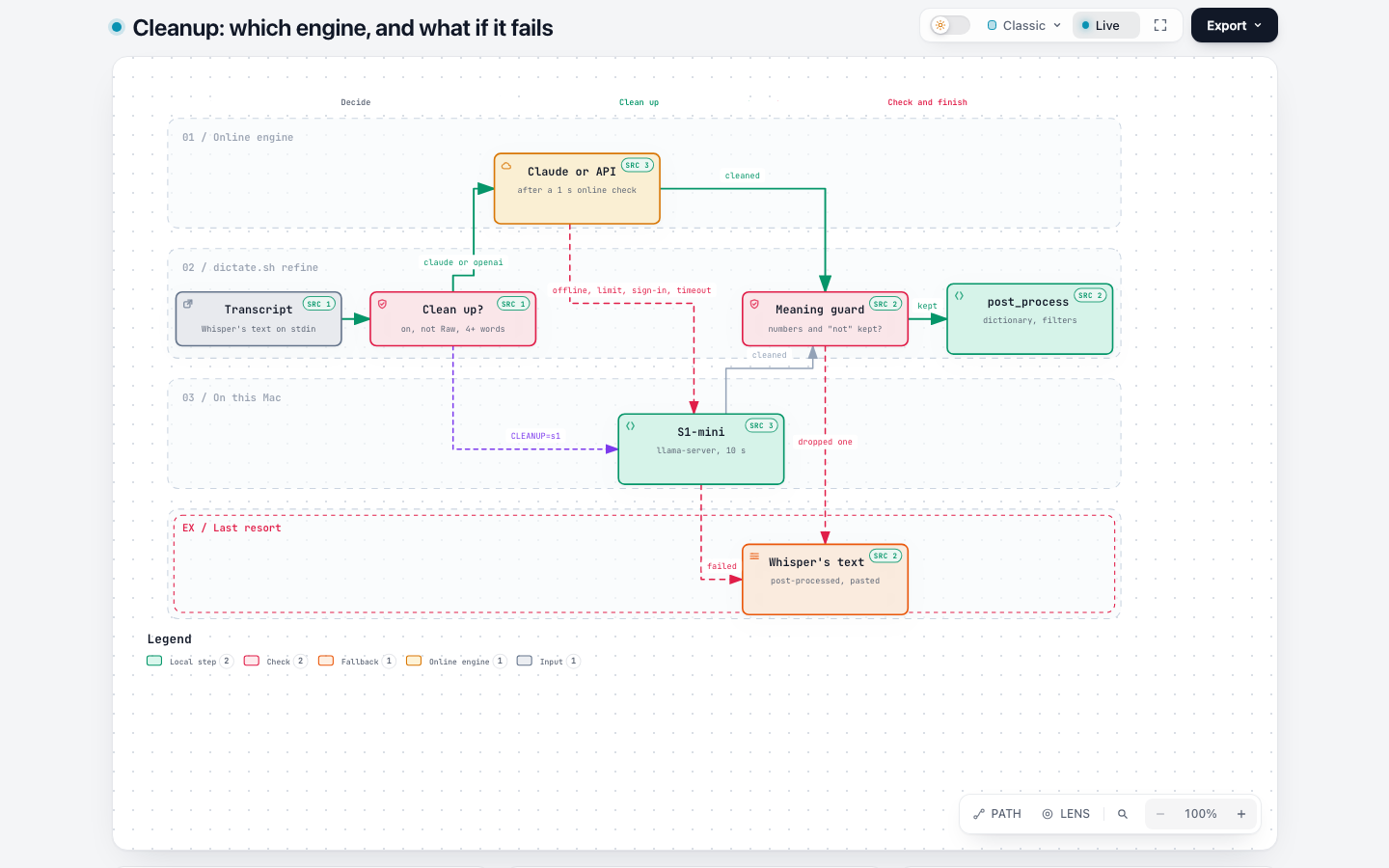
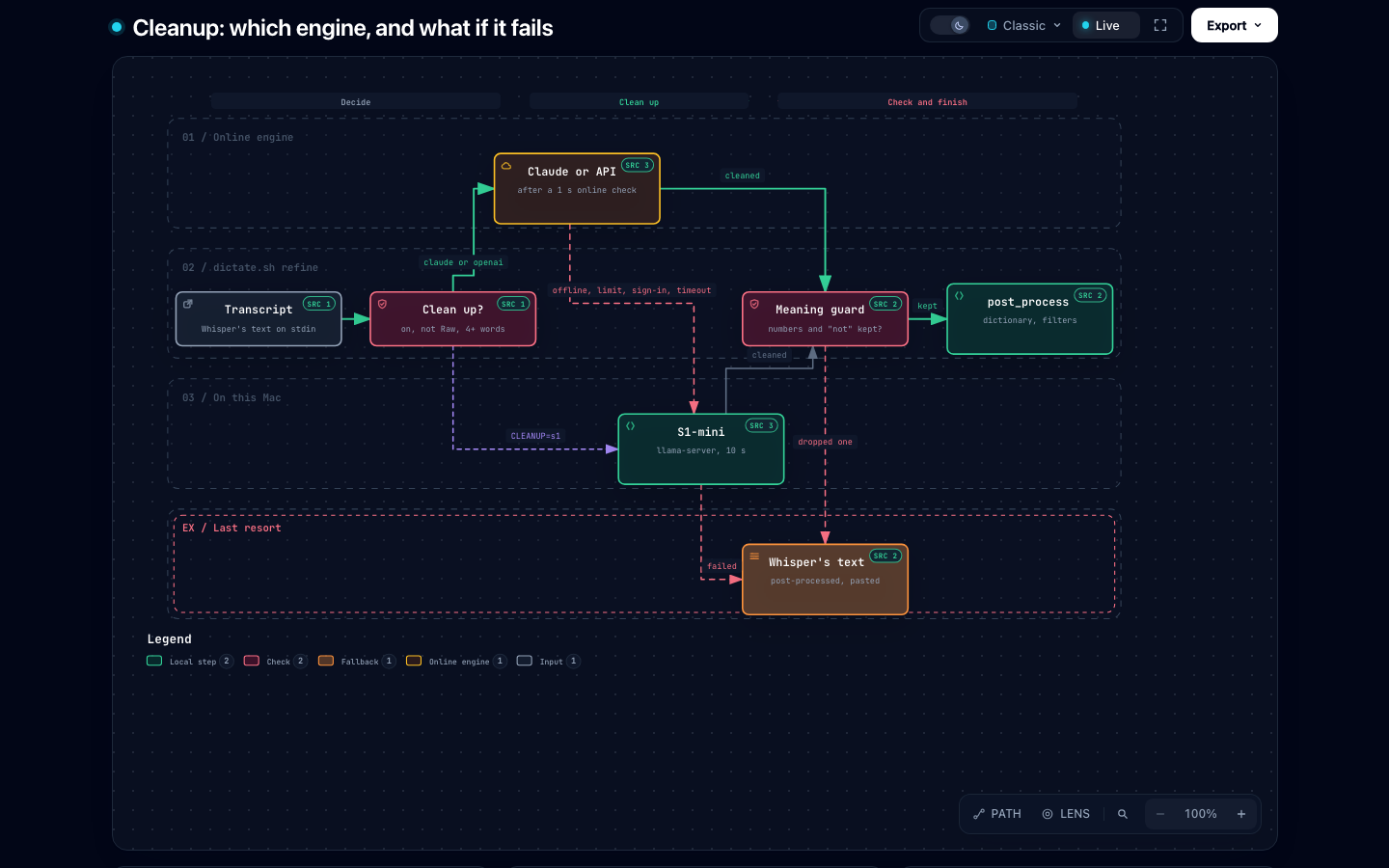 Cleanup and its fallbacksClaude, then S1-mini, then Whisper's text: a dictation is never lost
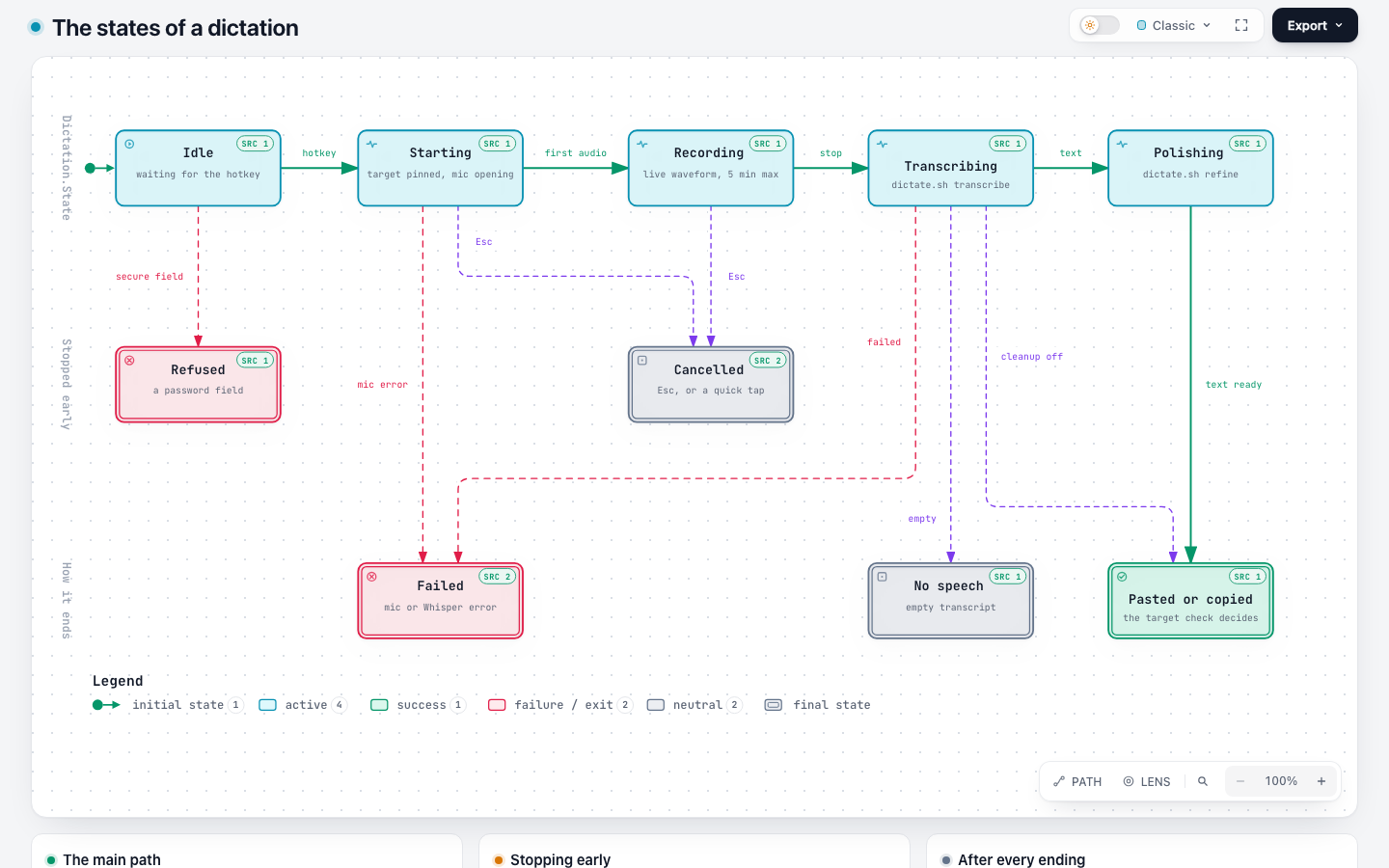
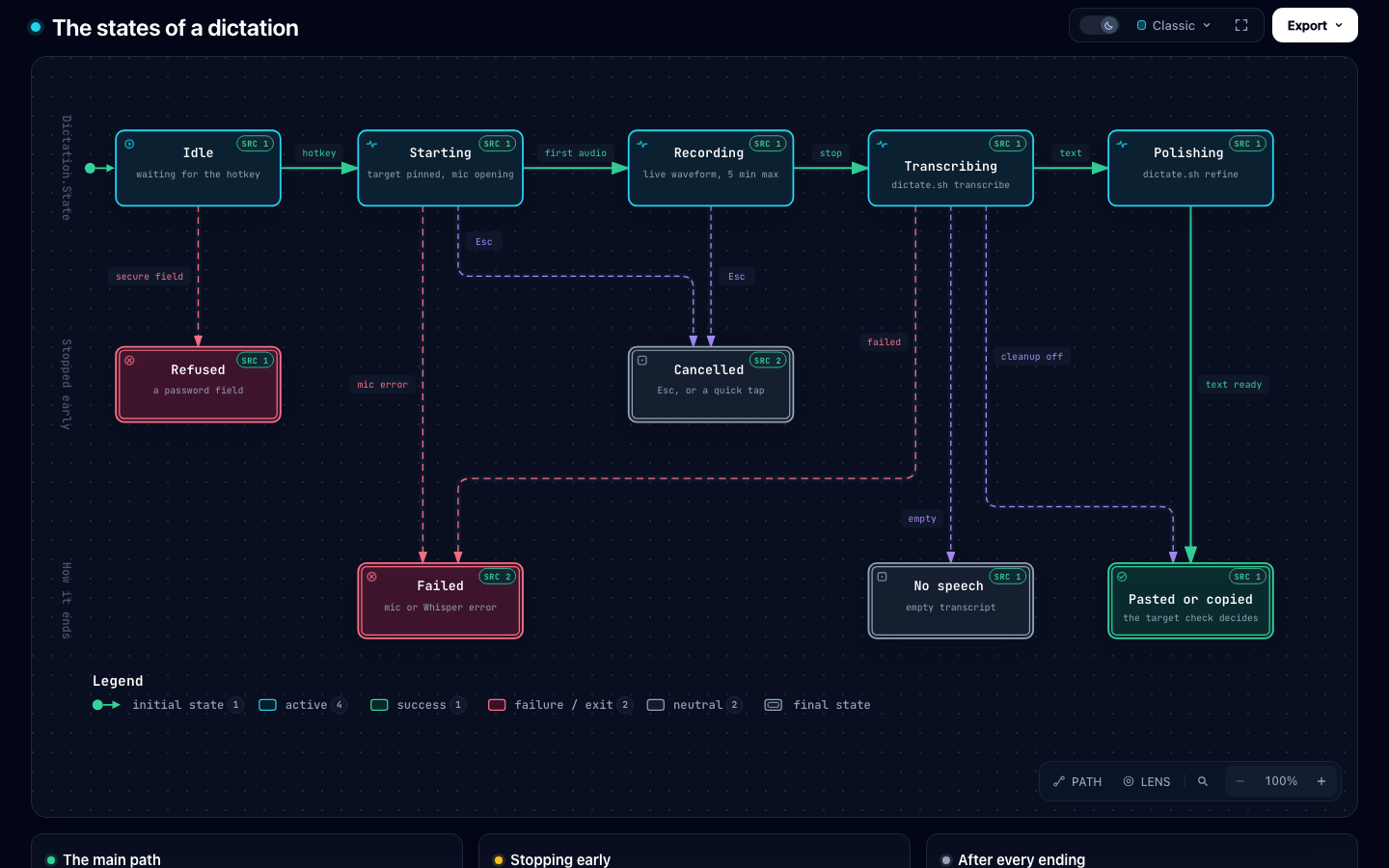 The states of a dictationFrom Idle to Pasted, and the six ways a dictation ends
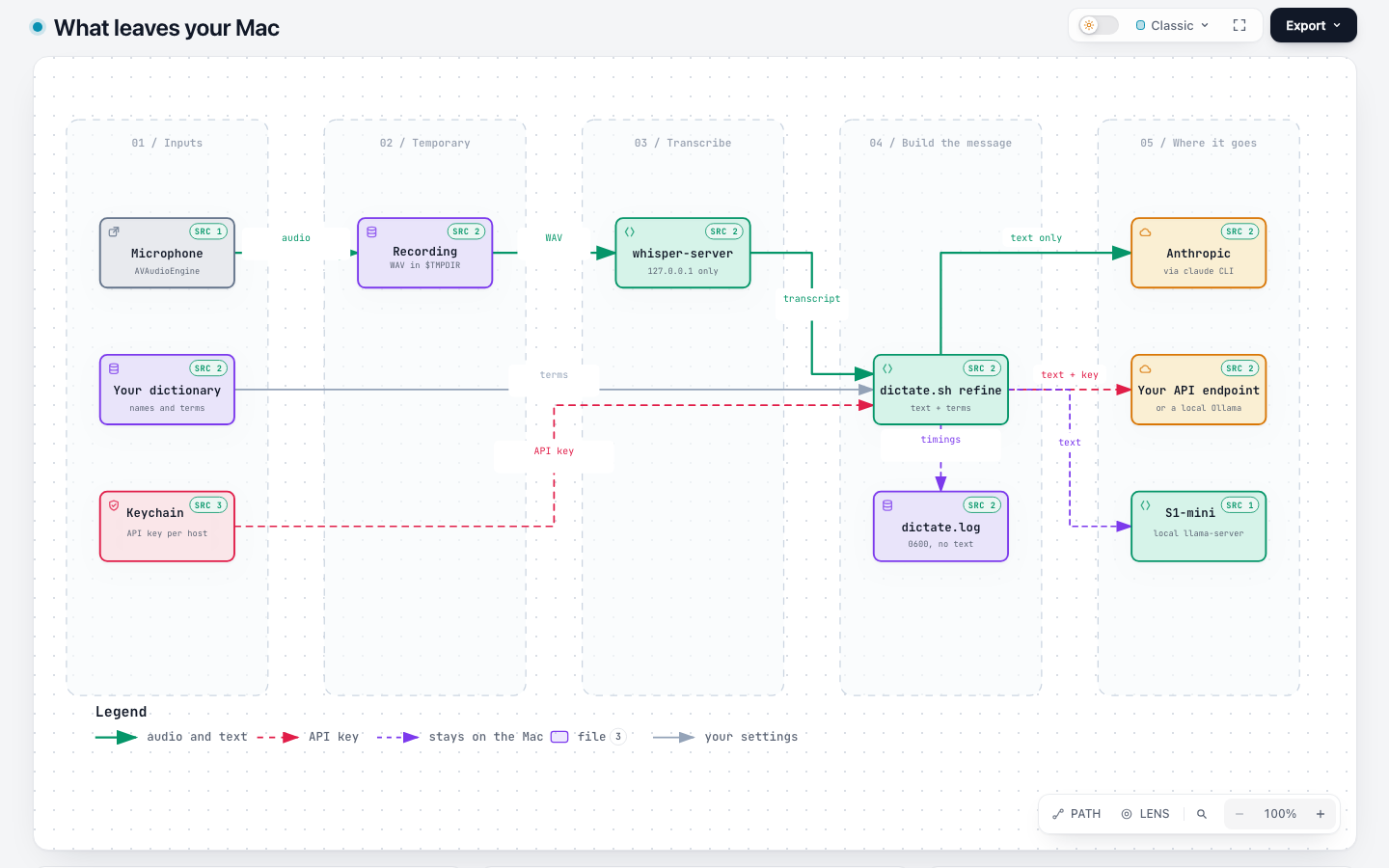
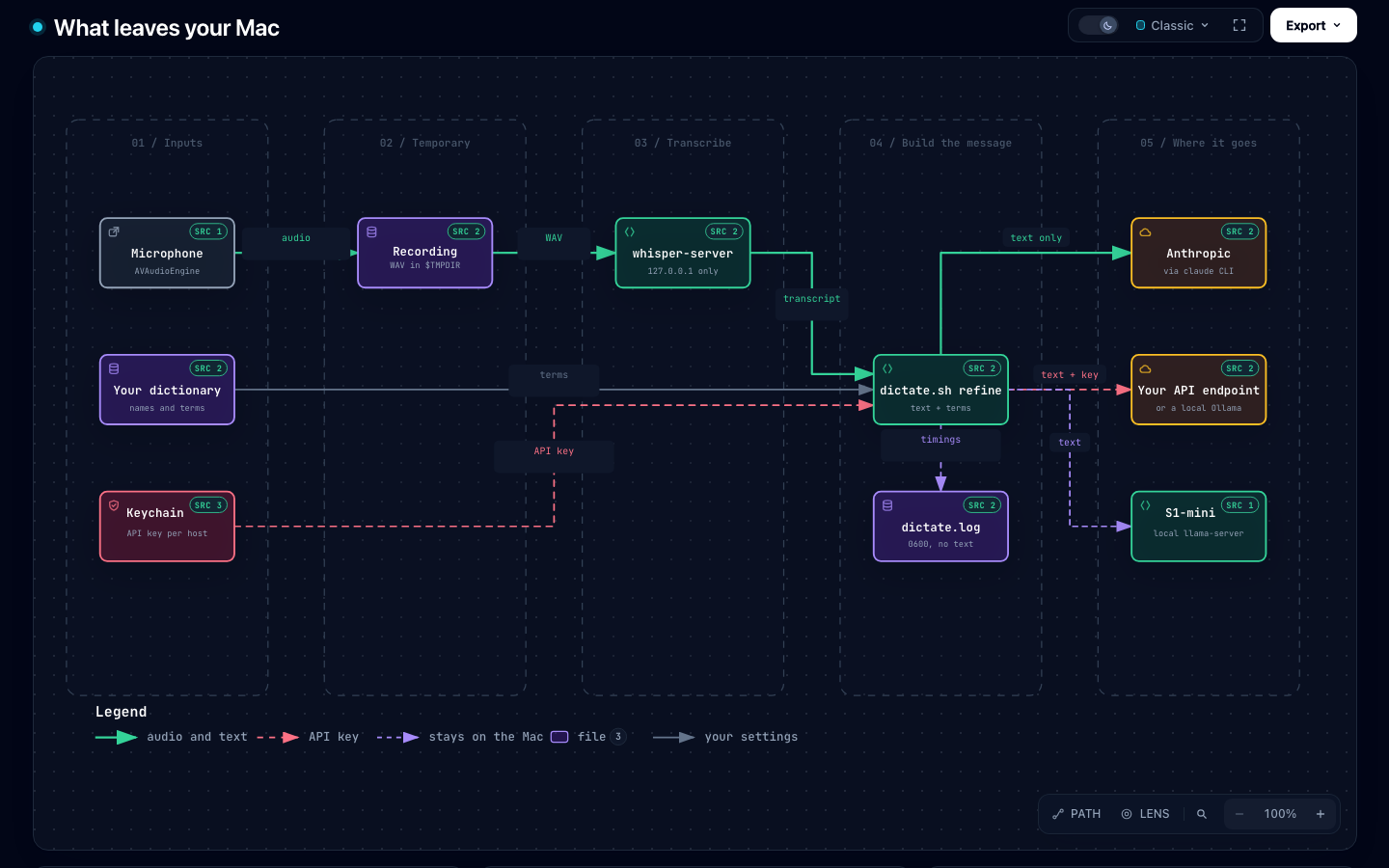 What leaves your MacAudio, text, your API key and the logs: where each one goes
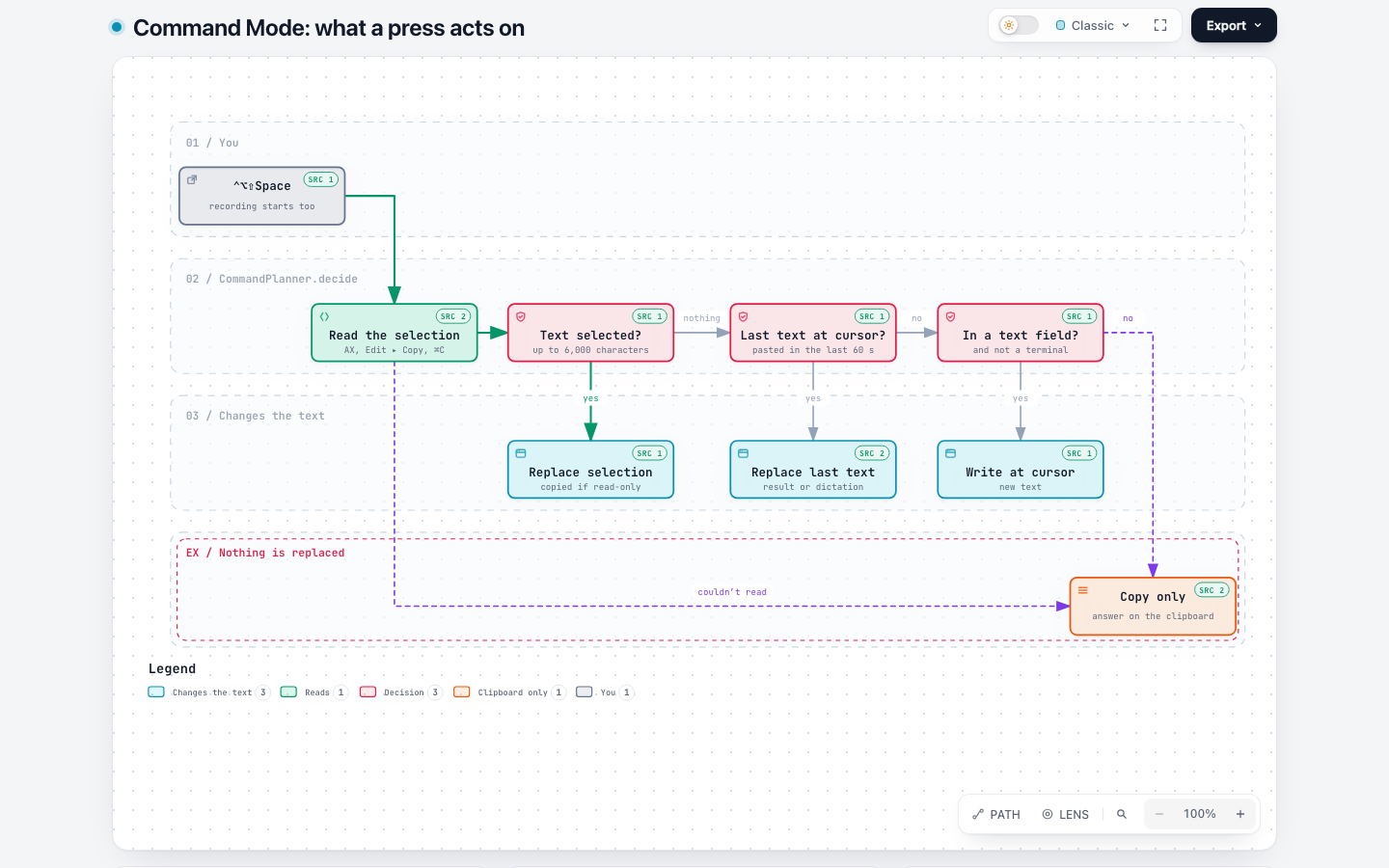
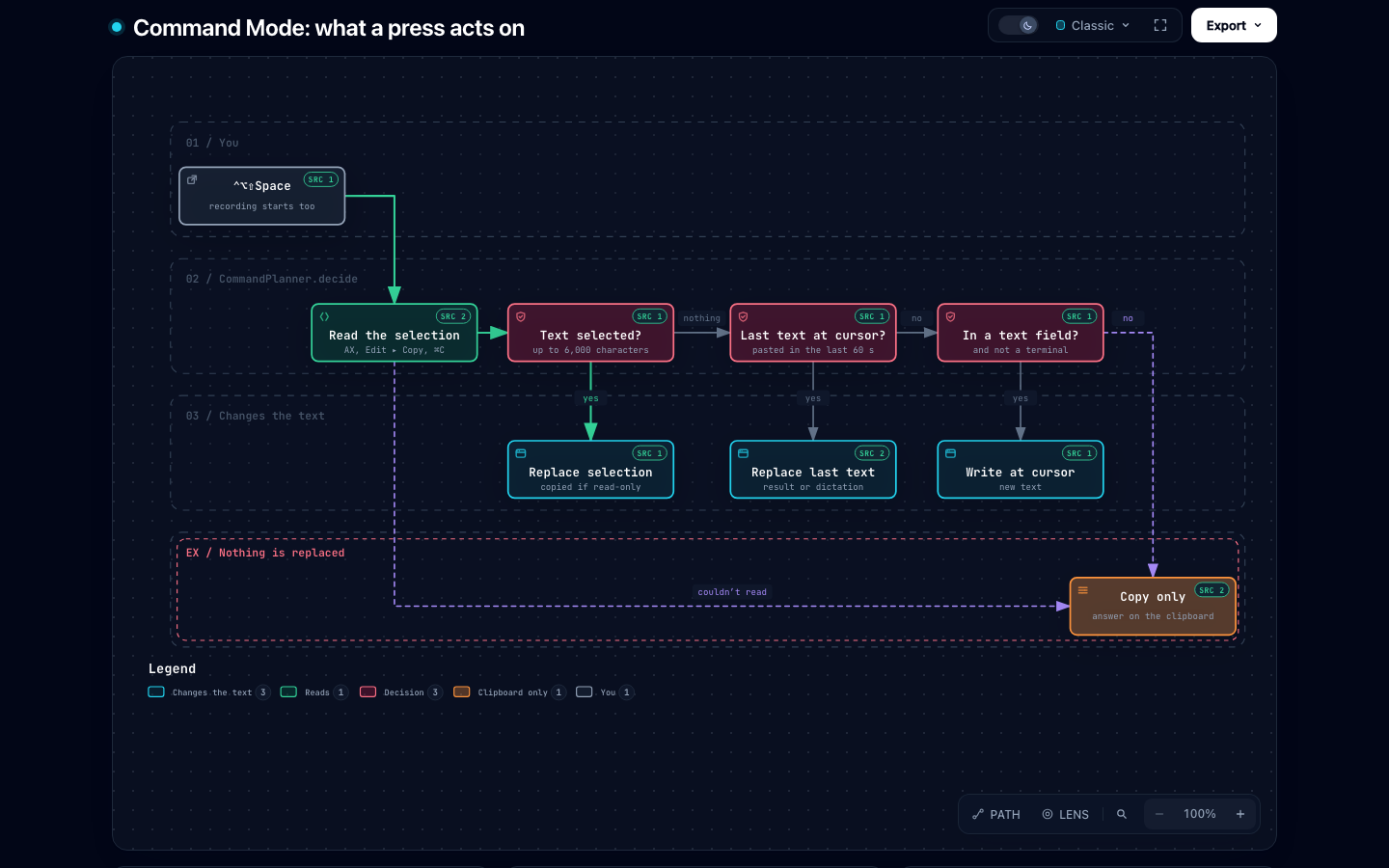 What a command acts onSelection, last text, write at the cursor, or copy only
How well it works
On 2026-09-25, on an M3 Pro, with evals/run.py:
25 fixed cases. Seventeen check formatting (lists, numbers, corrections, email addresses, code); eight check safety
(a number or a “not” must survive, and a dictated instruction must come back as text, not be carried out).
| Cleanup engine | Formatting | Safety | Median time per cleanup |
|---|---|---|---|
| Claude Haiku (default) | 17/17 (16/17 in some runs) | 8/8 | about 1.2 s pre-started, as in the app; 3.4 s with the CLI's startup |
| S1-mini, on this Mac | 8/17 | 7/8 | 0.7 s |
| Ollama llama3.2 3B, on this Mac | 9/17 | 3/8 | 1.8 s |
claude -p call, as other apps use it: a median of 10.9 s and 22/25. OpenVoiceType's
isolated call: 3.7 s and 25/25 one-shot, about 1.2 s when it's pre-started while you speak.say, not recorded from real voices.Privacy
ANTHROPIC_API_KEY is ignored, so
nothing quietly bills the APIHow it uses Claude Code, and what Anthropic's terms say: Claude Code and Anthropic's terms →
Install
Get OpenVoiceType-<version>.dmg from the
latest release, open it, and drag OpenVoiceType to Applications.
The app isn't notarized by Apple yet. The first time, click Done, then System Settings → Privacy & Security → Open Anyway.
Microphone and Accessibility permissions, a speech model (574 MB), and Claude Code or S1-mini for the cleanup. Then dictate into the Try it box.
Requires macOS 13.3 or later on Apple Silicon. Prefer to build it yourself? Build from source →