Artwork
View this page on GitHubThe app icon, the menu-bar icon and the installer window share one look: a waveform becoming text. All of it is original artwork, drawn in code, so anyone can change it with a pull request and regenerate the files.

| Piece | Where it’s drawn | Files it produces |
|---|---|---|
| App icon | drawIcon in scripts/make-artwork.swift |
app/Resources/AppIcon.icns, docs/images/app-icon.png |
| Installer background | drawBackground in the same script |
app/Resources/dmg-background.tiff (1x and 2x) |
| Installer window layout | scripts/dmg-settings.py (dmgbuild) |
Inside the DMG built by scripts/release.sh |
| Menu-bar icon | MenuBarIcon.swift (drawn at runtime) |
None |
| Overlay pill | Overlay.swift |
docs/images/overlay-*.png via --overlay-snapshots |
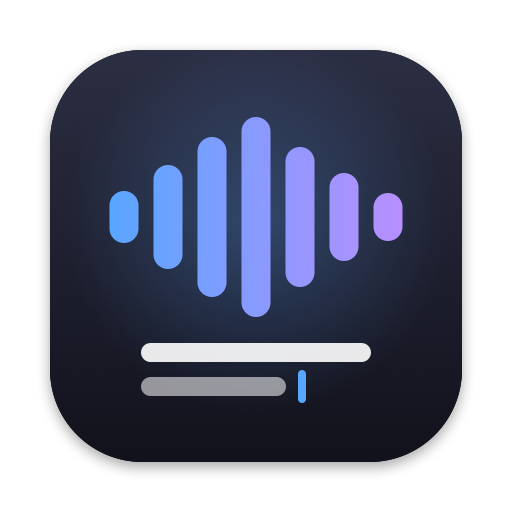
The app icon
What it says: voice (the waveform) turns into text (the two lines and the cursor), on your Mac.
- Canvas: 1024 × 1024 pt, following Apple’s macOS icon grid: an 824 pt rounded square (corner radius 185) centred with 100 pt of margin, and a soft drop shadow (black at 35%, blur 28, 10 pt down).
- Background: a vertical gradient from
#2B2E42(top) to#12121C(bottom), with a faint blue glow behind the waveform. - Waveform: seven rounded bars, 58 pt wide with 30 pt gaps, heights 26 / 52 / 80 / 100 / 70 / 44 / 24 % of 400 pt. They’re deliberately a little uneven, like real speech. A horizontal gradient runs from blue to violet.
- Text: a long line (white, 90%) and a shorter line (white, 55%), each 38 pt tall with round ends, and a blue cursor after the second line.
- Small sizes: the iconset is rendered at every size from 16 to 1024 px from the same drawing. At 16–32 px the text lines and the waveform still read clearly; check that after any change.
Colours
| Name | Hex | Used for |
|---|---|---|
| Blue | #59A6FF |
Waveform start, cursor; the overlay while transcribing |
| Violet | #B88FFF |
Waveform end; the overlay while polishing |
| Icon background | #2B2E42 → #12121C |
The rounded square |
| Recording red | macOS systemRed |
The menu-bar dot and the overlay while recording (adapts to the system) |
The blue and violet are the overlay’s colours, so the icon, the overlay and the installer feel like one app.
The menu-bar icon
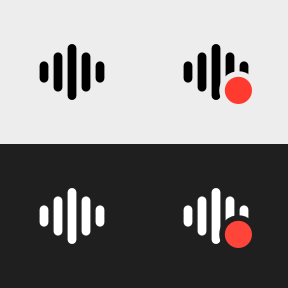
- Idle: five still bars (heights 38 / 70 / 100 / 70 / 38 % of 14 pt, 2.2 pt wide, 1.3 pt gaps) in an 18 × 18 pt image.
- Working (recording, transcribing, polishing, or testing the mic): the same bars with a red dot (6.8 pt) at the bottom right and a 1.4 pt gap cut around it.
- Colour: idle, it’s a template image: macOS draws it white on a dark menu bar and black on a light one, as Apple’s guidelines ask. A template can’t hold red, so the working image draws the bars itself in the menu bar’s appearance.
- No animation, on purpose. The overlay at the bottom of the screen already shows the live waveform and each stage; the menu bar only answers “is it working?”. (An animated version was tried and dropped as too busy.)
- Check changes with
VoiceToText --overlay-snapshots <dir>, which writes7-menubar-icons.png(dark and light).
The installer window
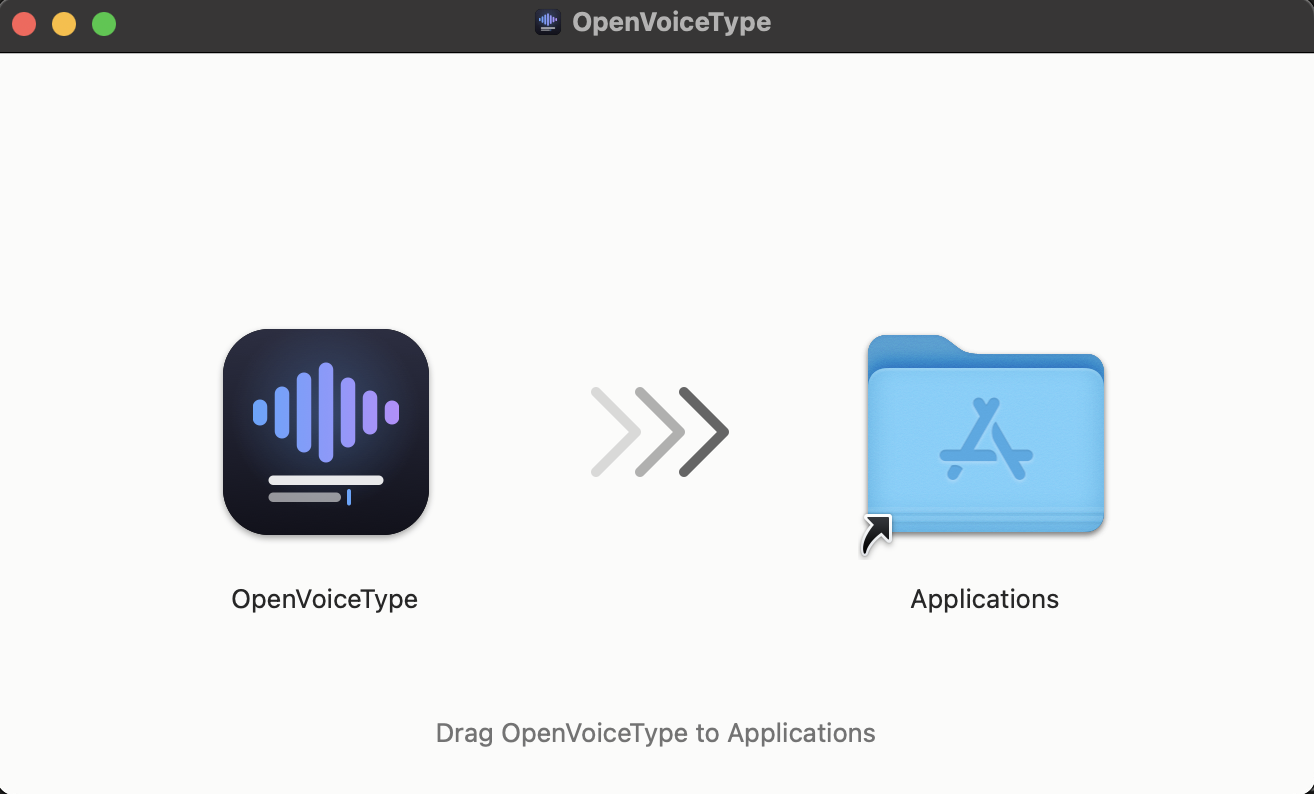
- Window: 660 × 400 pt, no toolbar, sidebar, status bar or path bar, with icons at 128 pt.
- Layout: “OpenVoiceType.app” centred at (165, 190), the Applications link at (495, 190), three chevrons fading in from the left between them, and “Drag OpenVoiceType to Applications” near the bottom.
- Background:
#FBFBFAwith dark grey chevrons (25% white at 18 / 40 / 80% opacity) and a grey caption (#737373), at 1x and 2x in one TIFF, so it’s sharp on Retina screens. - Disk icon: the app icon is also the mounted disk’s icon (
.VolumeIcon.icns), so it shows in Finder’s sidebar and the window title.release.shputs it on the.dmgfile too, but that only survives on your own Mac: a download carries just the file’s contents, so users see the standard disk icon until they open it. - Why dmgbuild: it writes Finder’s layout file (
.DS_Store) directly. Tools that script Finder to arrange the window break on CI runners.
Changing the artwork
- Edit
scripts/make-artwork.swift(orMenuBarIcon.swift/dmg-settings.py). - Regenerate from the repository root. The
swiftscript runner can’t link AppKit with Command Line Tools, so compile it:swiftc -o /tmp/make-artwork scripts/make-artwork.swift && /tmp/make-artwork - Check the result: the previews are in
$TMPDIR/vtt-artwork/;./scripts/build-app.sh --installshows the new icon;./scripts/release.sh v0.0.0-testbuilds a DMG to open. - Commit the generated files (
app/Resources/*,docs/images/app-icon.png) with the script change, and add before and after images to the pull request.
Rules
- Keep it original. Don’t use Apple’s SF Symbols in the app icon (their license doesn’t allow symbols in app icons or logos), or artwork from other apps. SF Symbols are fine inside the app’s interface.
- Keep the palette: blue, violet and the dark background, unless the change is a deliberate redesign discussed in an issue.
- The menu-bar icon stays still and monochrome, with colour only for status.
Demo GIF
The README’s demo (docs/images/demo.gif) is a real screen recording, made with
scripts/make-demo-gif.sh (it needs brew install ffmpeg).
What to record (about 15 s, one take):
- A clean window where text is easy to read: Notes or Slack, light mode, a large font, nothing private on screen.
- Press the hotkey, and speak one natural sentence with a self-correction and a number, for example: “Um, let’s move the team sync to Thursday, no, actually Friday at 3 PM, and invite Sarah from design.”
- Stop, and let the overlay go through Transcribing and Polishing to Pasted, with the clean text appearing.
How:
scripts/make-demo-gif.sh 15 100,100,1200,700records that region (x, y, width, height in points) after a 3 s countdown. Grant your terminal Screen Recording the first time.- Or record with ⌘⇧5 (Record Selected Portion), then
scripts/make-demo-gif.sh --from ~/Desktop/Screen\ Recording….mov. - Keep it under 5 MB (
WIDTH=640orFPS=10if it’s bigger), then uncomment the demo line near the top of the README.
Credits
The artwork was designed and drawn in code with Claude Code in September 2026, and is released under the project’s MIT license like the rest of the code.